
How I Work With AI in Software Development

Last week, I built a brand new application from scratch. But for the first time in two years, it didn't feel like wrestling with an unpredictable prompt box: it felt like building software the way God intended.
Getting to this point took a lot of painful trial and error. Over the past two years, I experimented with Claude Code, Codex, Cursor, and whatever latest AI hype was blowing up on Twitter and LinkedIn. Every self-proclaimed guru on my timeline was posting a thread claiming they cracked the secret to 10x developer productivity.
I fell into every single trap: trusting hallucinated code, staring at loading spinners, context switching until my brain melted, and waking up to unmaintainable codebases I barely understood. I built my fair share of terrible projects along the way.
I am not here to play another tech Messiah asking you to comment on this post to get my free course or PDF. I don't claim to have solved software engineering or cracked universal AI magic. But after two years of trial and error, I documented the exact mental models that actually work for me in production.
The Main Problems with AI in Software Development
Before diving into the system that fixed my workflow, it helps to break down the three main problems that kept ruining my projects in the first place:
1. Almost Right Isn't Good Enough
In many cases, debugging AI-generated code ends up being more time-consuming than writing it manually. Refactoring becomes painful, and understanding the logic, especially when it is domain-specific, can be even harder. The further you get from your own logic, the harder it is to trust the code.

AI can often generate "almost correct" code. It gets close, sometimes impressively so, but rarely nails the full intent. The output often lacks adherence to clean code principles, or it subtly misinterprets the requirements. It might function, but not in a way that is easy to maintain or reason about.
AI is very good at getting you to 80 percent. But when you give it too much control, getting from 80 percent to 100 percent often becomes slower and more frustrating than doing the entire thing yourself.
2. The Process Feels Slow and Disconnected
One of the more subtle problems is that the workflow becomes disjointed. You wait. You stare at a loading spinner. How long will a response take? In the meantime, you are either doing nothing or trying to context switch into another task.

Some people manage this by multitasking, juggling several tickets in parallel. Personally, I have found that context switching like that makes me less productive. I lose focus, get mentally scattered, and end up bouncing between half-finished thoughts. The feedback loop is slow and vague, gradually chipping away at your momentum.
3. You Lose Touch With Your Codebase
This one was the most unexpected for me. When you rely too much on AI, you gradually stop being the author of your code; you become the reviewer. And that distance matters.
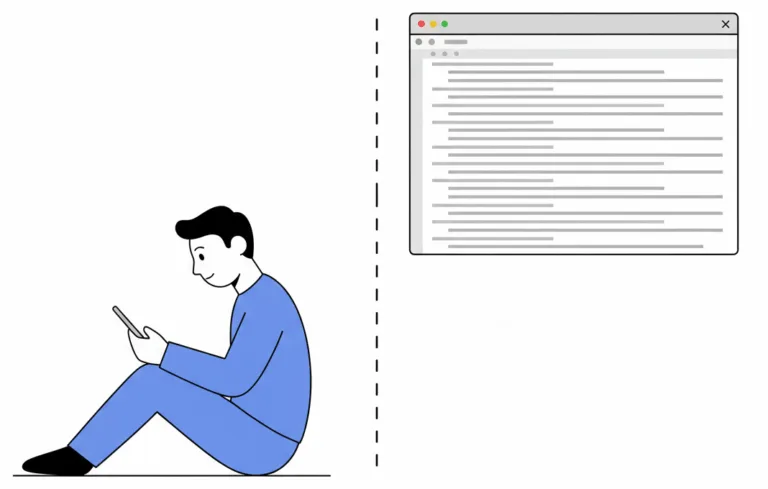
When you review someone else's code (or AI's), you don't see the decisions, the discarded paths, the tradeoffs. You see only the outcome. That works fine for simple utilities, but when you are building more complex systems, anything with nuanced logic or deep business context, that separation becomes dangerous.
You stop understanding your own system. You stop seeing the edges where things can break. And when they do, you are not well-equipped to fix them.
The Lessons I Learned
Recognizing these traps forced me to rethink my entire development process. Here are the six core principles that fixed my workflow and allowed me to build software effectively again:
1. Focus Only on What Costs a Lot to Change
The single most important principle in AI-assisted development is knowing where to focus your engineering effort: double down on the critical decisions that cost a lot to change, and go loose on the rest.
What Actually Counts as an Important Decision?
Before applying heavy engineering process or guardrails, evaluate the decisions that carry long-term architectural weight by looking at concrete thresholds:
- Core Data Modeling & Schema Integrity: Are you designing a data model that requires complex migrations, index rebuilding, or database downtime if changed six months from now?
- Security, PII, and Compliance Boundaries: Does this component handle sensitive user credentials, auth tokens, or payment gateways where a flaw causes a compliance breach?
- Vendor Lock-in & Interface Abstractions: Are your core domain types decoupled from external APIs? If you decide to add Slack or Telegram tomorrow, can you integrate them easily because your domain logic operates on vendor-agnostic messages rather than hardcoded payloads?
- Production Performance & SLA Limits: Will an architectural oversight (like missing pagination or unindexed joins) lock database connections under high concurrent load?
Low-Cost, Low-Risk Projects: Stay Hyper-Focused on the Product
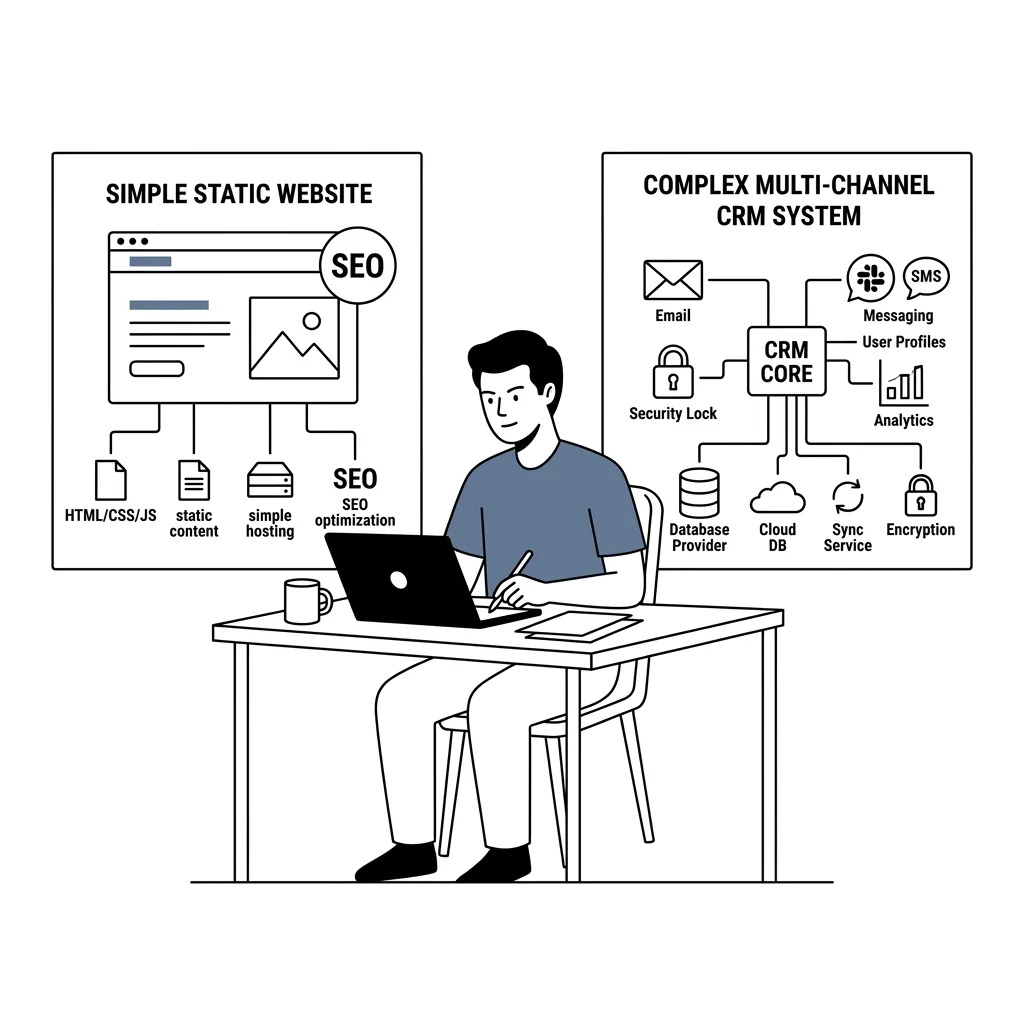
If you are building a simple static marketing website where your primary goal is optimizing an SEO score and the content rarely changes, you do not need heavy architectural guardrails, Testcontainers, or automated CI review bots.
Adding complex engineering processes to low-risk projects is overkill. Prompt the model, verify the visual output, focus on the product, and ship it.
High-Cost, High-Value Systems: Rigor Is Mandatory
Conversely, imagine you are building an AI-powered CRM that ingests sensitive emails and WhatsApp messages to take autonomous actions in your company's name.
The architectural stakes here are radically different:
- Security and Compliance: Preventing data leaks and unauthorized autonomous actions is paramount.
- Maintainable Abstractions: Strict code standards ensure your architecture does not break tomorrow when you integrate another messaging provider like Slack or Telegram.
- System Reliability: Unchecked AI generation in complex domain logic creates cascading production failures.
In high-value systems, architectural flaws are extremely expensive to refactor after deployment. Match your engineering rigor directly to the cost of failure.
2. Spend 80 Percent of Your Time in Upfront Planning
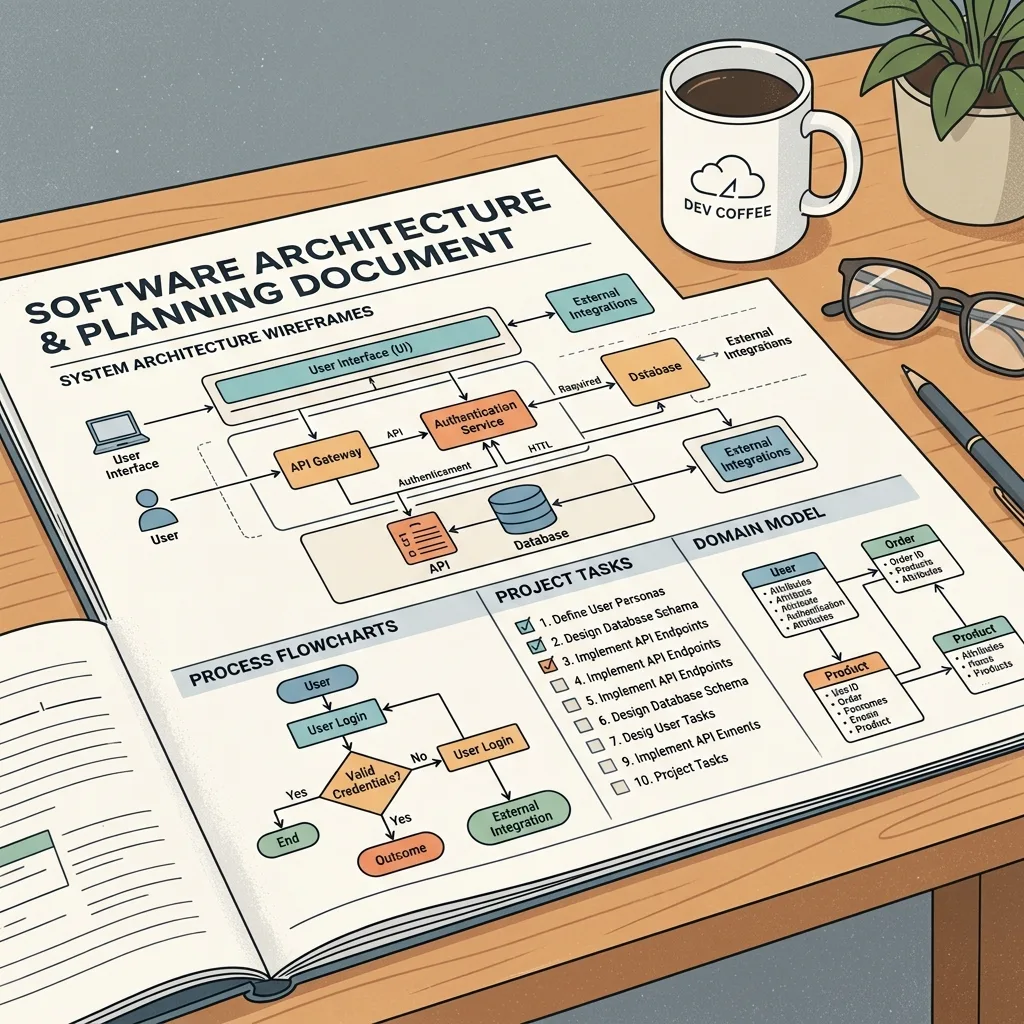
In traditional software development, typing code occupied a massive chunk of our time. With LLMs, code generation is practically free. Changing fundamental architecture after code has been generated, however, remains as expensive as ever.
If your task specification is vague, the AI will fill in the gaps with plausible-sounding guesses. The result is model drift, hallucinated requirements, and wasted execution cycles. Front-loading effort into deliberate planning is what unlocks high-speed execution later: once your specifications and data contracts are rock solid, you eliminate execution ambiguity.
The Specification Playbook
Instead of diving straight into code generation, shift your effort heavily to upfront planning:
- Use Open Specifications and Interactive Prompt Interviews: Tools like interactive prompt grilling force you to answer hard architectural questions before a single line of code is generated. If you cannot explain the data structures, edge cases, and state transitions to a planning tool, the AI will not figure them out for you.
- Leverage Curated Engineering Skill Frameworks: I rely heavily on structured skills frameworks, such as Matt Pocock's Engineering Skills. Having predefined execution guidelines and task breakdown standards keeps execution deterministic.
You can watch the complete video discussion here on YouTube: How I Work With AI in Software Development
- Define Explicit Task Boundaries and State Tracking: Break large features down into small, measurable checkpoints. Track exactly where you stand at each step so you can reset or correct course the moment execution strays.
When your plan is concrete, AI models act like precision tools rather than unpredictable dice rolls.
3. Read the F***ing Code (The Sycophancy Trap)
There is a dangerous habit developing across the industry: engineers have stopped reviewing pull requests, and they have stopped reading the code AI generates for them.
This reliance stems from a fundamental misunderstanding of Large Language Models.
The Micro-Decision Gap
No matter how thorough your upfront planning is, a specification cannot cover every single detail. Writing code requires hundreds of micro-decisions:
- How should errors be wrapped and logged?
- How are domain models separated across service boundaries?
- Should a database query include pagination?
- How are custom types named and exported?
If you do not read the code, the AI makes these micro-decisions arbitrarily for you.
LLMs Are People-Pleasers That Will Lie to You
LLMs are trained to maximize user satisfaction. They are sycophantic by design. When you ask a model if a solution handles concurrency or scale, it will confidently answer yes, even when the implementation is completely broken.
Worse, when you do not explicitly instruct a model to handle a specific concern, it quietly cuts corners. Consider this common example of an un-paginated query generated when asking an LLM for user order history:
// What the AI generated when asked for user order history
export async function getUserOrders(userId: string) {
  return await db.orders.findMany({
    where: { userId },
    include: { items: true, paymentDetails: true }
  });
}
On a small test dataset, this code works cleanly. In production with millions of rows, executing an un-paginated findMany() query will lock database connections and crash your application server.
The Fake Test Trap: expect(true).toBe(true)
If you have ever asked an AI model to write unit tests, you have likely caught it cheating. To get a quick green pass, models frequently write vacuous assertions or over-mock the entire codebase until the test proves nothing:
// What the AI generated when asked to write unit tests
test("should process order successfully", async () => {
  // Over-mocked dependencies returning dummy data
  jest.spyOn(paymentService, "charge").mockResolvedValue({ status: "success" });

  // A fake assertion that tests absolutely nothing
  expect(true).toBe(true);
});
Without reading the generated code, you assume your feature has robust test coverage when, in reality, you have built a false sense of security.

Maintain Your Garden Every Day
Working with AI is like mentoring a junior developer. AI models heavily mimic existing patterns in your codebase.
If your repository contains messy abstractions, duplicated logic, and poor error handling, the AI will copy those bad habits and generate more garbage. Conversely, if you keep your codebase clean every single day, the AI will replicate your high standards.

If you stop reading the code and neglect your repository garden, you will wake up one morning in an unmaintainable jungle with scaling bottlenecks, missing logs, and no idea how your own system works.
Reading the code is non-negotiable. You are responsible for every line shipped to production, regardless of who or what generated it.
4. Add Guardrails and Automate Everything You Can
At the end of the day, we want AI to work for us and reduce our manual workload. The ultimate goal is to truly one-shot a bug fix or new feature simply by describing the product requirement you want.
Automation and guardrails form the backbone of this strategy:
- Deterministic Code Checkers (ESLint & Prettier): ESLint, Prettier, and deterministic code scanners running in real-time are mandatory. Always prefer deterministic, rule-based checks over probabilistic guesses whenever possible.
- AI Code Review in CI (Qudo): Deploy automated AI code review tools into your CI pipeline. I specifically use Qudo for this because it has worked well for my workflow, but the core principle applies whether you use Qudo, another dedicated review tool, or an open-source alternative. Crucially, use a different model than the one that wrote the code, because AI models have self-bias when reviewing their own output.
- Turn Review Discoveries into Rules and Skills: Every time you read through the generated code and spot a problem, see what you can do to fix the root cause. Can you write a custom ESLint plugin rule to catch it deterministically so it never happens again? Can you write an agent skill that loads in the right context and guides the model on what to do? There are many potential solutions, but I always prefer deterministic checks first so we can keep our focus on what really matters.
- Testing, Testing, Testing: Comprehensive testing ensures nothing breaks in production. Move beyond fragile, shallow mocks toward high-fidelity testing environments like Testcontainers. When you have realistic integration tests, you know existing functionality remains intact, even if newly generated code needs minor tweaking.

5. Build a Context Layer: Equip Your Agent with Tools and Knowledge
For a long time, I treated AI like a brilliant developer operating inside a sensory deprivation tank: no logs, no access to internal docs, and no understanding of our company's proprietary frameworks.
I spent hours copy-pasting static error messages into prompts, expecting the model to magically debug microservice failures. Every time I needed it to use our internal scripting language or custom API abstractions, I had to re-explain our internal conventions from scratch in a massive system prompt.
Eventually, I realized that an agent is only as competent as the environment you build around it. To get high-accuracy execution, you have to build a real Context Layer (a concept I explored in depth in my series on Building an Effective Context Layer for AI Agents).
Here are the two environment changes that transformed how my agents execute:
- Stop forcing models to guess bugs (use MCP for telemetry): When a production bug occurs, I no longer paste raw stack traces into chat. I connect my agent to Model Context Protocol (MCP) tools for our logging providers, like Sentry or Datadog. Letting the agent query live telemetry logs directly turned blind guessing into fast, accurate root-cause diagnosis.
- Stop re-teaching your internal frameworks (build an LLM wiki): My team relies on custom internal tools and proprietary frameworks. I stopped typing the same structural rules into every prompt and built a persistent knowledge base instead (using repository skill files and an internal LLM wiki). When the agent has permanent access to your company's architectural patterns, it writes production-grade code on the first attempt.

6. Fast > Accuracy: Why Speed and Tight Feedback Loops Win
A common mistake is assuming you always need the largest, most expensive reasoning model to solve every coding problem. In practice, fast feedback loops trump raw model intelligence almost every time.
This is precisely why I use Cursor: it avoids vendor lock-in to a single provider like Claude Code. In my experience, dedicated tools like Claude Code (and similar setups in Codex) felt excruciatingly slow for real-time coding. With Cursor, I have access to every model on demand: I can use heavy models like Opus or Flash for upfront planning and architecture, and then switch to Cursor's Composer 2.5 for the actual code execution.
The Fast Model + Guardrails Architecture
This is where the upfront planning from Section 2 pays off. When your task is well defined, your repository has clean examples, and your context layer provides strict guardrails, you don't need a slow reasoning model for every line of code. A fast, lightweight model acts like an incredibly efficient junior developer following your precise specification. It handles repetitive tasks rapidly.
The real bottleneck in software development is not model IQ: it is the latency of the feedback loop.
Real-Time Steering and Zero Context Switching
Using high-speed models unlocks two massive operational advantages:
- Real-time intervention: Because the code generates almost instantly, you can watch what the model is doing as it writes. If it strays off path, you can intervene immediately instead of waiting minutes for a finished bad response.
- Eliminating context switching: The biggest win is psychological. When response times drop to seconds, you no longer feel compelled to open another tab or juggle multiple tickets while waiting. You stay fully focused on a single task, finish it completely, and move directly to the next one.

Summary: The AI Engineering Playbook
At the end of the day, AI has completely changed how quickly we can turn ideas into working code, but it has not changed the core craft of software engineering.
If you take away six key principles from this article, let it be these:
- Match rigor to risk: Save heavy process for high-value architecture, schemas, and security boundaries. Ship static sites fast without over-engineering.
- Plan before you prompt: Spend most of your energy on specifications and domain modeling. Clear inputs produce deterministic code.
- Read the generated code: AI is sycophantic and loves cutting corners. You are ultimately responsible for every line of code in production.
- Automate guardrails: Set up real-time linters, CI reviewers, and automated test environments to catch regressions automatically.
- Build a real context layer: Connect your agent to MCP tools for live telemetry (Sentry, Datadog) and feed it your company's internal frameworks and knowledge upfront.
- Prioritize feedback loop speed: Fast models allow real-time steering and eliminate context switching, keeping you in flow until the task is done.
Building software with AI is not about finding a magic prompt or buying an online course: it comes down to clarity of thought, strong systems design, and tight feedback loops.
Subscribe to New Post Updates
Get notified directly in your inbox whenever a new music analysis or AI write-up is published.
More AI Projects & Insights
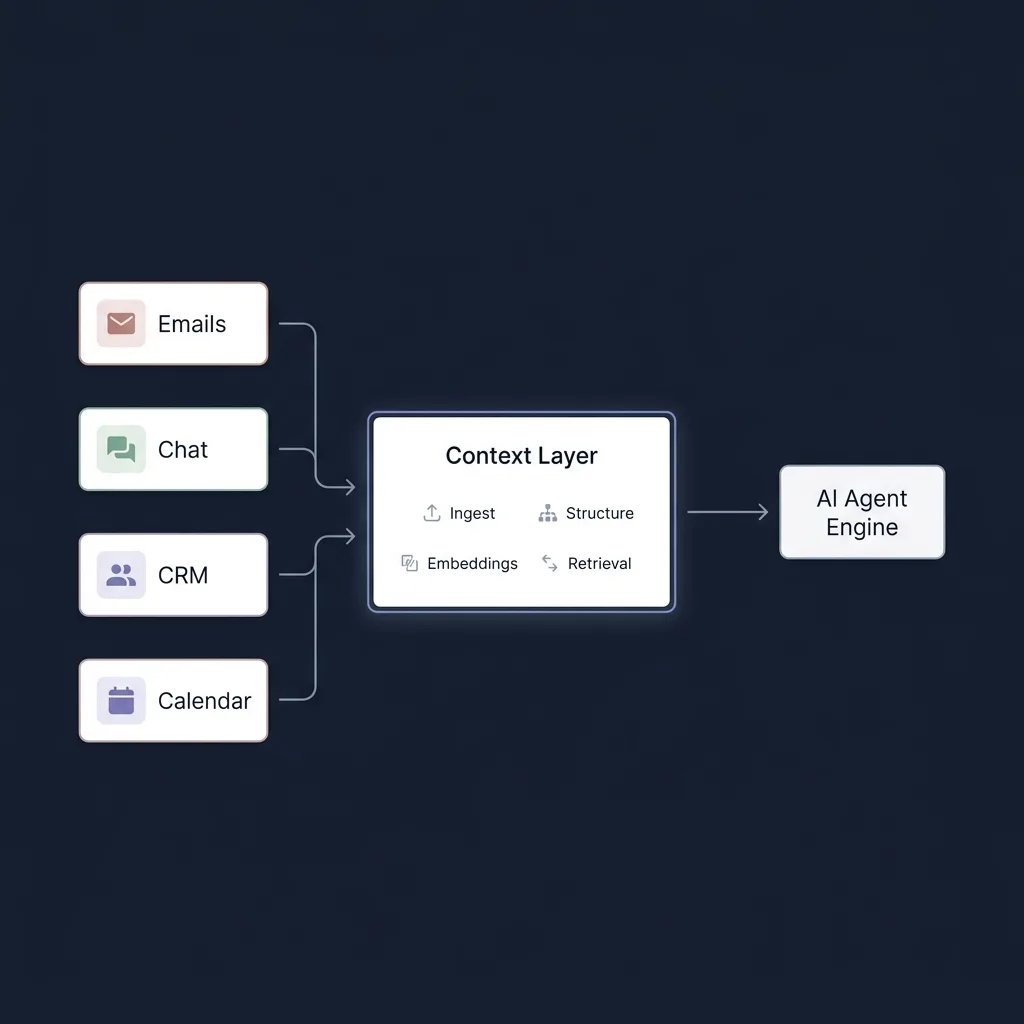
Context Layer #1: Why Your Agent Fails
At their core, AI agents are just LLM loops wrapped in context and tools. Discover why the context layer is the true bottleneck of agent performance, and why context quality matters more than unconstrained planning.

Context Layer #2: Evals, Evals, Evals
Before writing custom data pipelines or context abstractions, you must answer one core question: How do you measure what is effective? Discover the 4 tiers of agent evaluation and benchmark-driven context engineering.
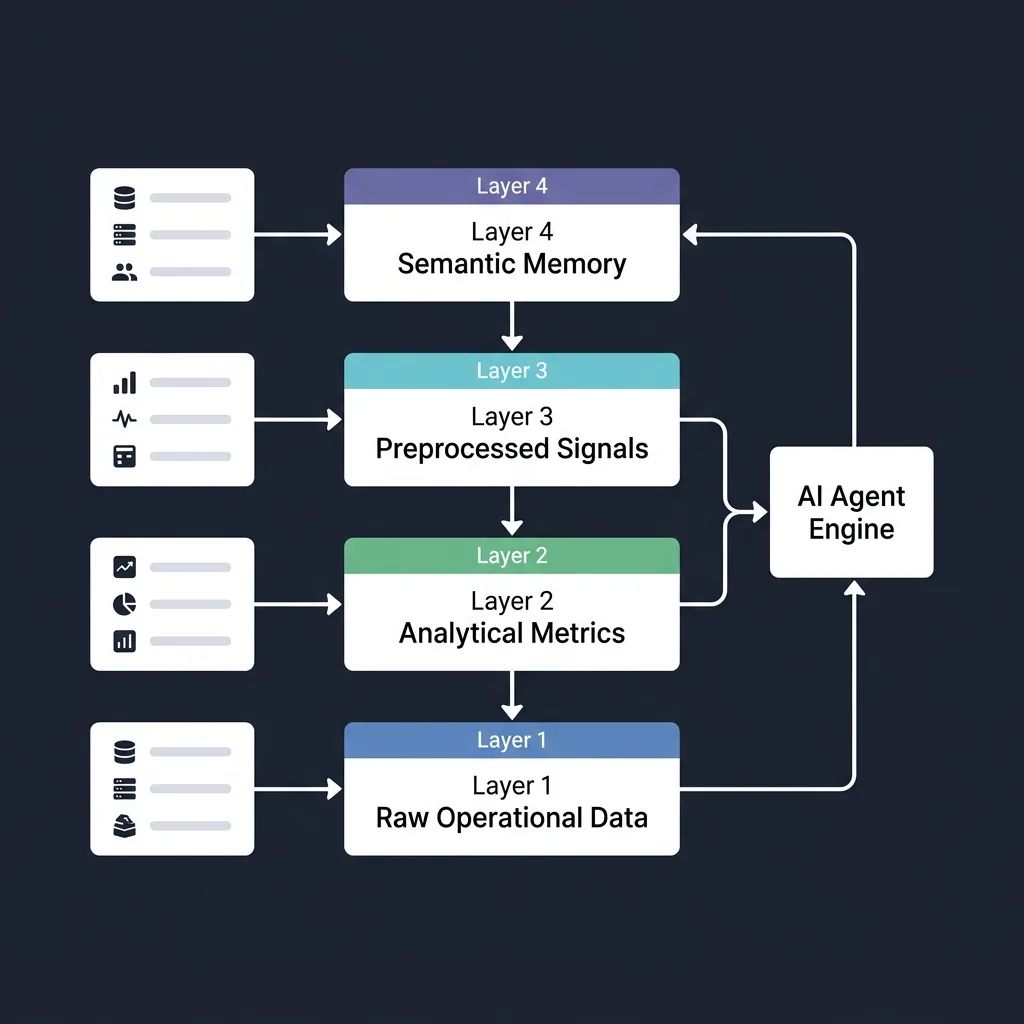
Context Layer #3: The 4 Layer Architecture Blueprint
Learn how to structure a Context Layer into four functional layers around a real-world CRM scenario: Raw Data, Analytical Data, Preprocessed Signals, and Semantic High-Level Memory.