
Context Layer #4: Ingesting Raw Operational Data
This is Part 4 of our 7-part technical series on Context Layers for AI Agents. If you have not read the earlier installments, start with Part 1: What Is a Context Layer, Part 2: Defining and Measuring an Effective Context Layer, and Part 3: The 4-Layer Context Architecture.
TL;DR: Layer 1 copies operational data from external vendors into a store you control. Normalize that data into the entities your system understands, such as contacts, messages, and threads. Save raw events first, resolve identities through a shared projection, then build an index for each question the agent needs to answer.
Why Layer 1 exists
Building an agent by wiring tools directly to vendor APIs seems quick, but it fails the moment you put it in front of users.
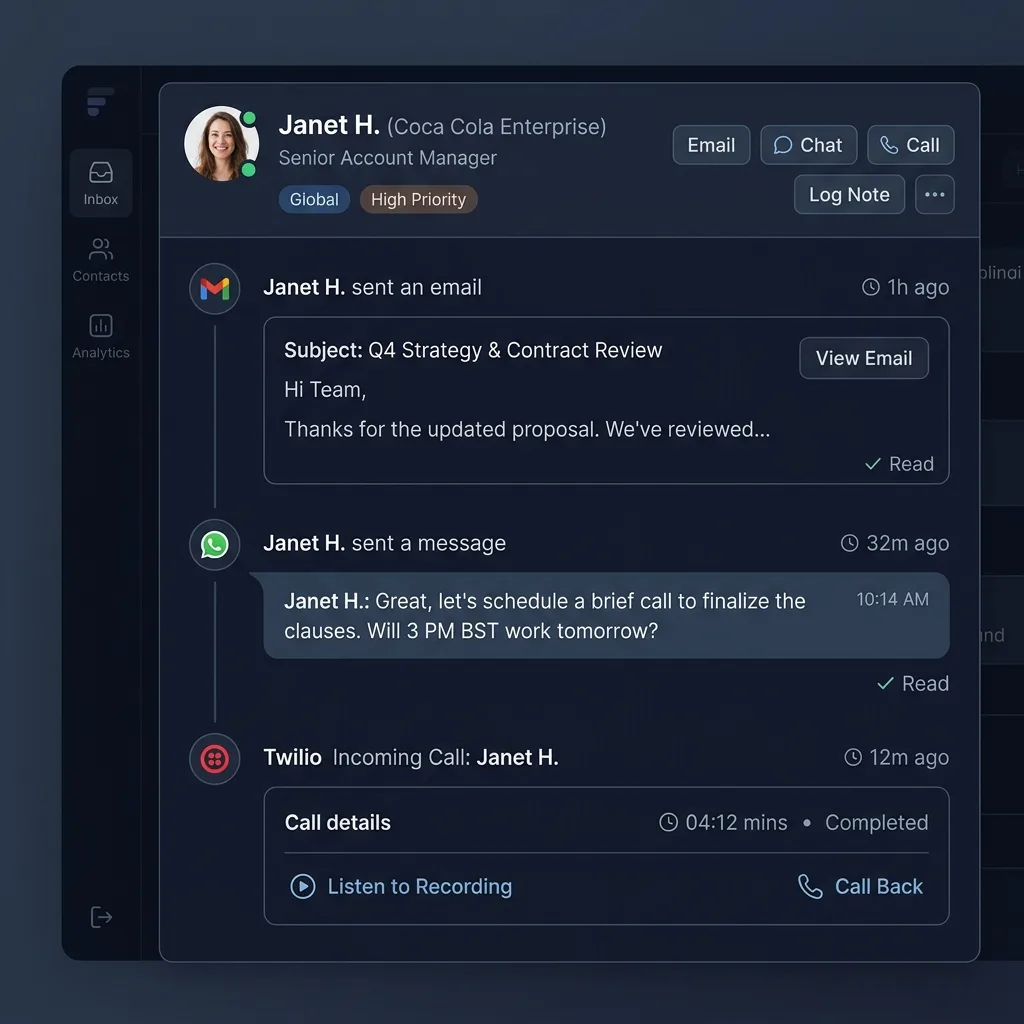
Suppose an agent needs to answer: "Did Janet reply to our renewal proposal, and what did we agree on?"
If the agent queries live vendor APIs, it must call Gmail, WhatsApp, and call transcript endpoints while the user waits. That creates four immediate production blockers:
- Too slow and fragile: Calling three external APIs takes ten seconds, and if one fails or hits a rate limit, the whole answer fails.
- APIs do not talk to each other: Gmail has no idea what Janet's WhatsApp number is. Without a database, the agent has to guess how to connect the dots inside the prompt.
- Messy data wastes tokens: API responses are full of technical junk and headers that crowd the prompt and cost money.
- Bad engineering practice: You would never build a web page that calls three third party APIs on every refresh, so do not make your agent do it.
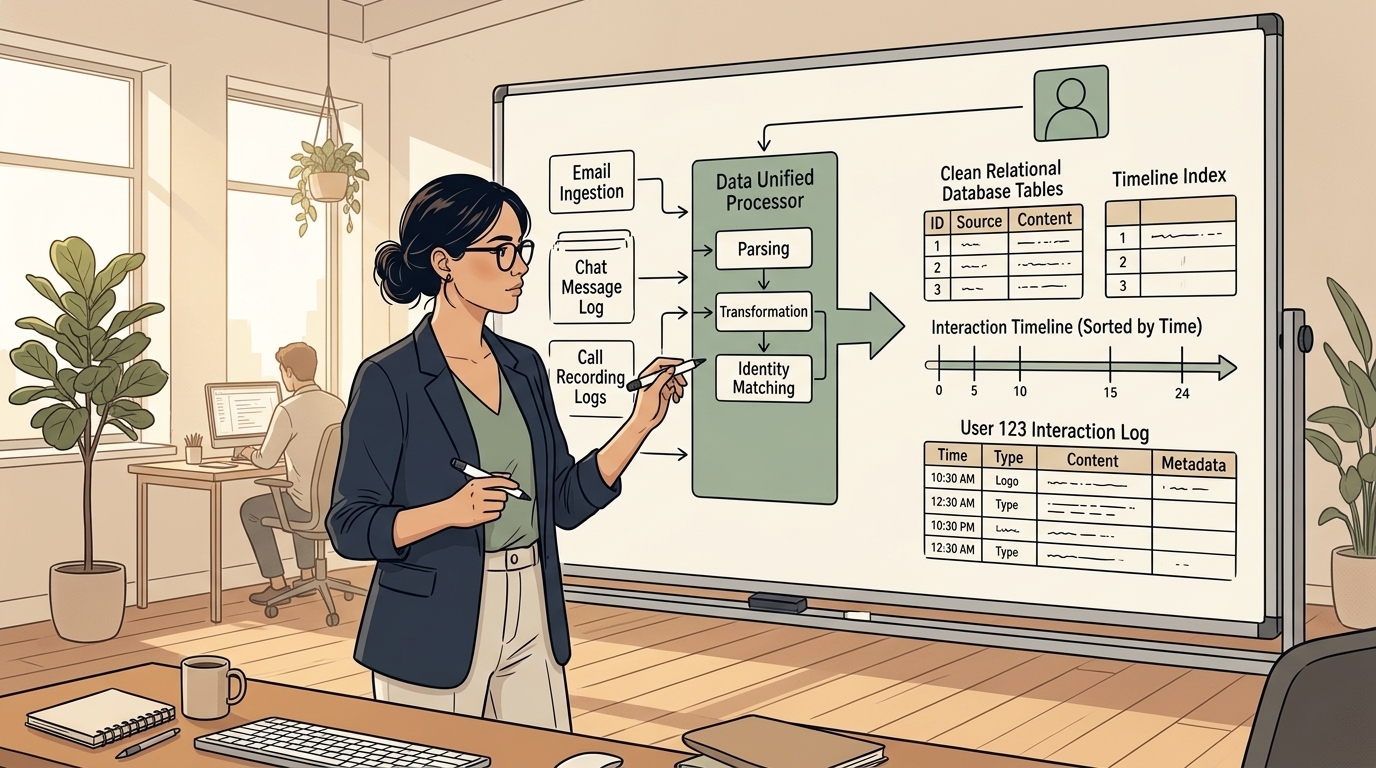
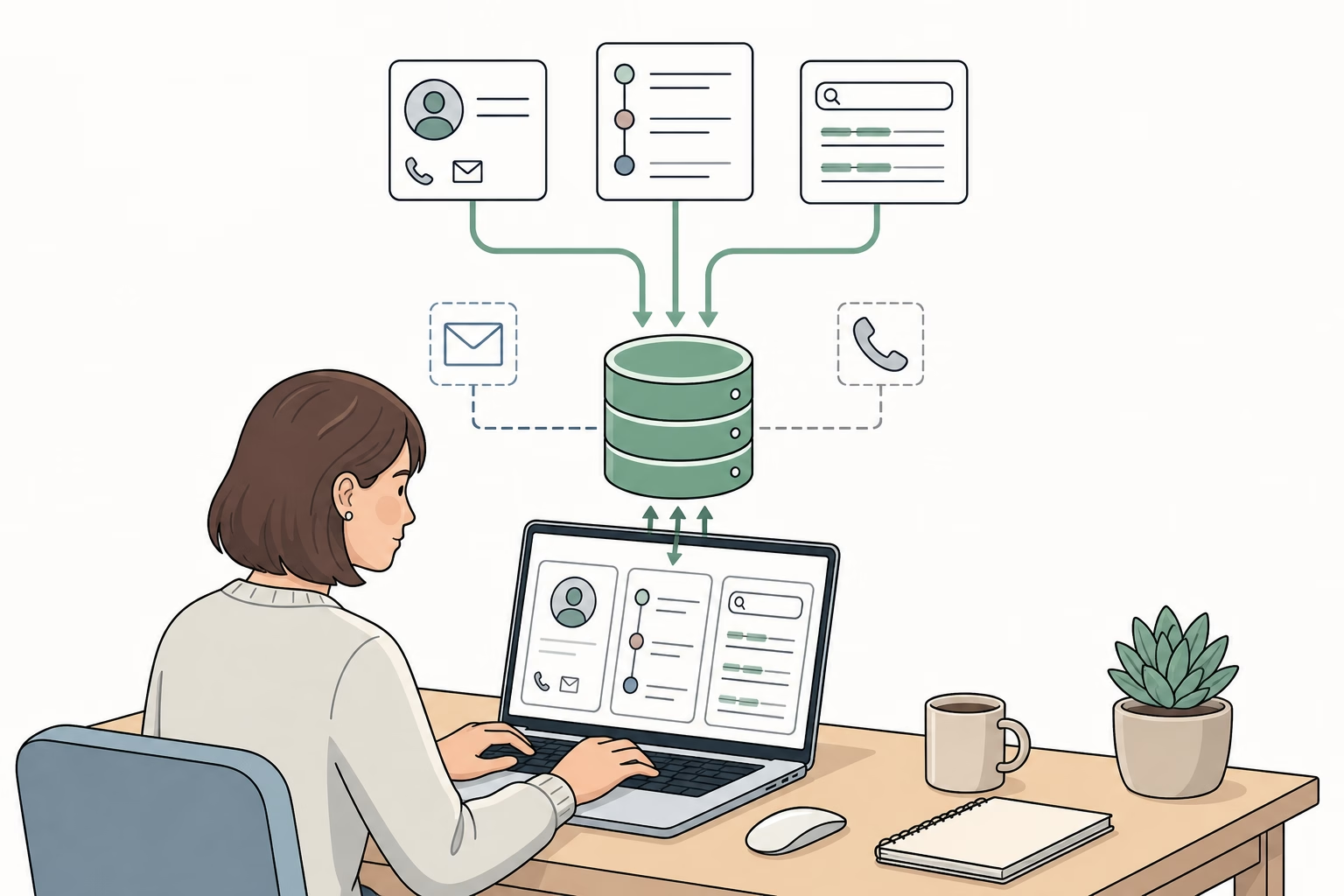
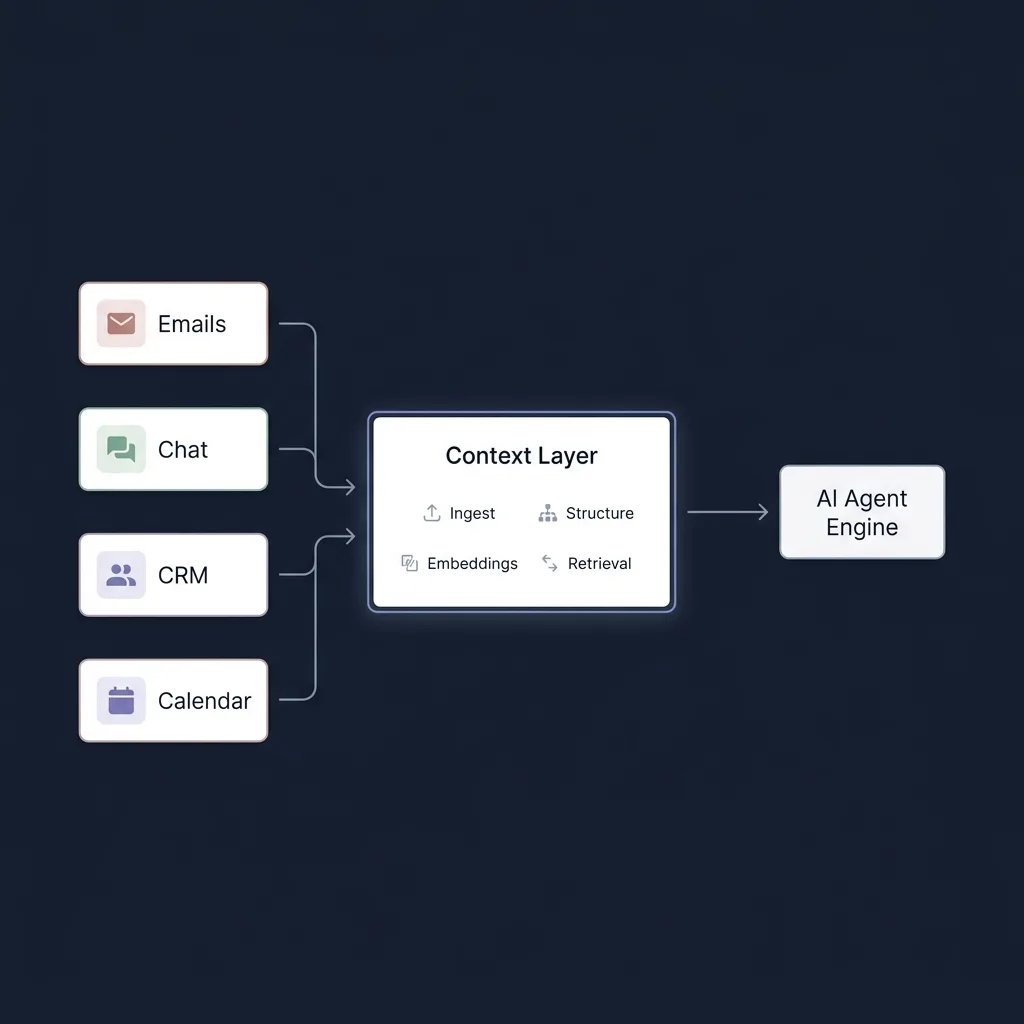
Layer 1 solves this by moving integration work out of the prompt execution loop. It continuously ingests data in the background, normalizes events into your domain entities, and stores them in a relational database with indexes optimized for your queries.
When the agent runs, it queries your internal database in milliseconds using a single clean schema. The agent becomes what it should be: another client of your core data model, operating over the exact same source of truth that powers the rest of the application.
The agent is a client, not a pipeline: Never force your AI model to act as a data integration engine during a conversation. Ingest data first, normalize it internally, and let the agent query a clean database.
Start with the questions
Do not begin by choosing PostgreSQL, Kafka, or Elasticsearch. Begin with the questions the product must answer:
- Contact lookup: Who is
janet@example.com, and which account owns that contact? - Timeline lookup: What messages, calls, and meetings belong to this contact?
- Text search: Which conversations mention the renewal proposal?
- Identity resolution: Do a Gmail sender and a WhatsApp participant represent the same person?
Start from access patterns: These questions define the data model, indexes, and agent tools. If a query cannot be served by a bounded, indexed access pattern, the design is incomplete.
Ingest data before the agent asks for it
To answer in milliseconds, the agent cannot fetch data on the fly. The data must already be sitting in your database before the conversation starts.
This requires a simple background pipeline with three core jobs:
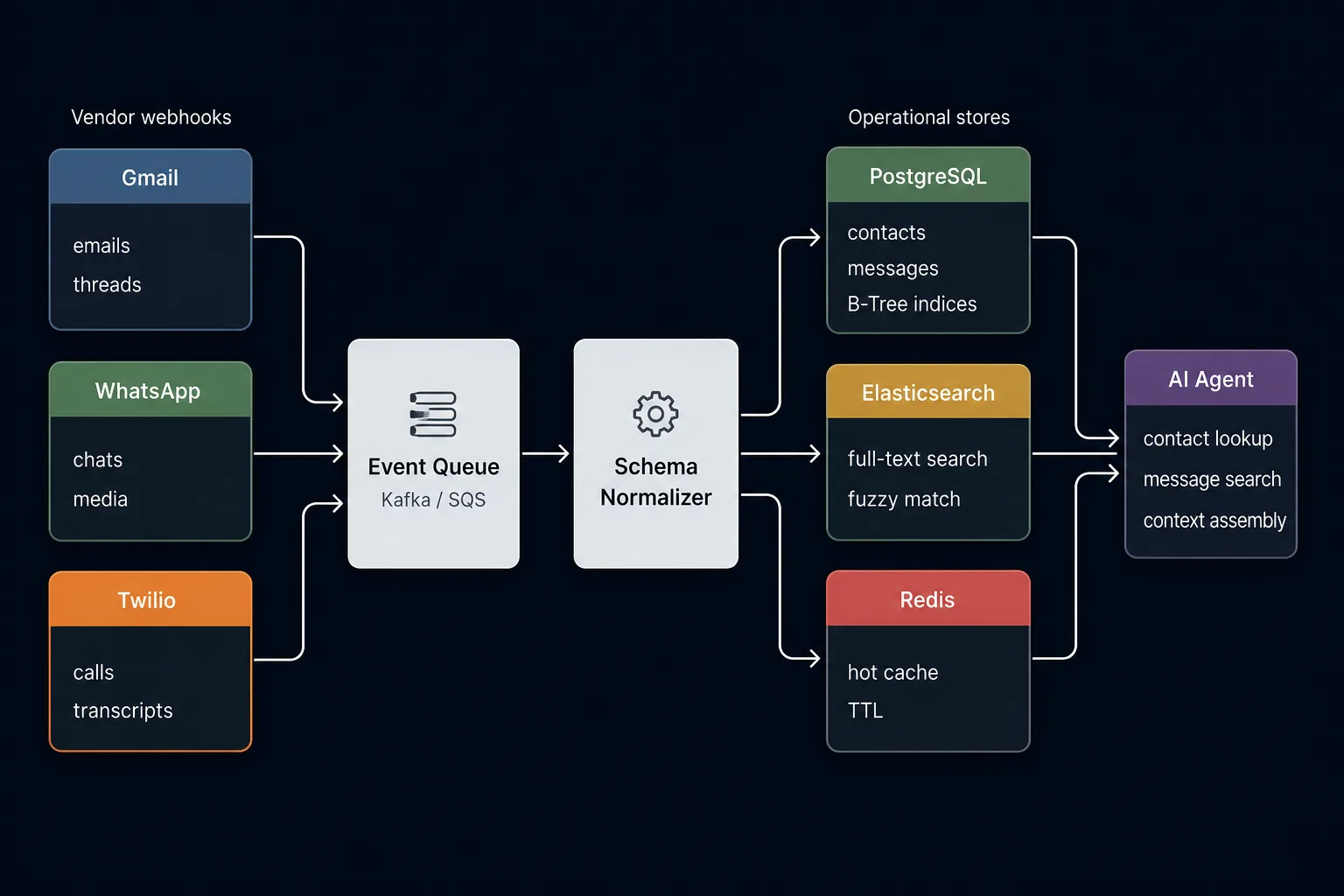
- Catch and save the raw event: When an email or chat arrives, accept the webhook and immediately save the raw payload to an event store or queue. Do not parse or transform it yet. Just make sure the data is safe so you can replay it if anything fails later.
- Clean and normalize in the background: A worker pulls the event from the queue, strips away vendor junk, and maps the data into your clean internal entities (like
Contact,Message, andThread). - Handle vendor quirks: Vendors will send the same event twice, deliver messages out of order, or go down temporarily. Protect your system with unique deduplication keys and automatic retries.
Save first, transform second: Always store the raw vendor payload before transforming it. If your normalization logic breaks or vendor schemas shift, you can replay the queue without losing customer data.
Normalize vendors into one domain model
Putting events into a queue is only half the battle. The most important decision in Layer 1 is storing data in your own domain language, never in the raw format of Gmail, WhatsApp, or Slack.
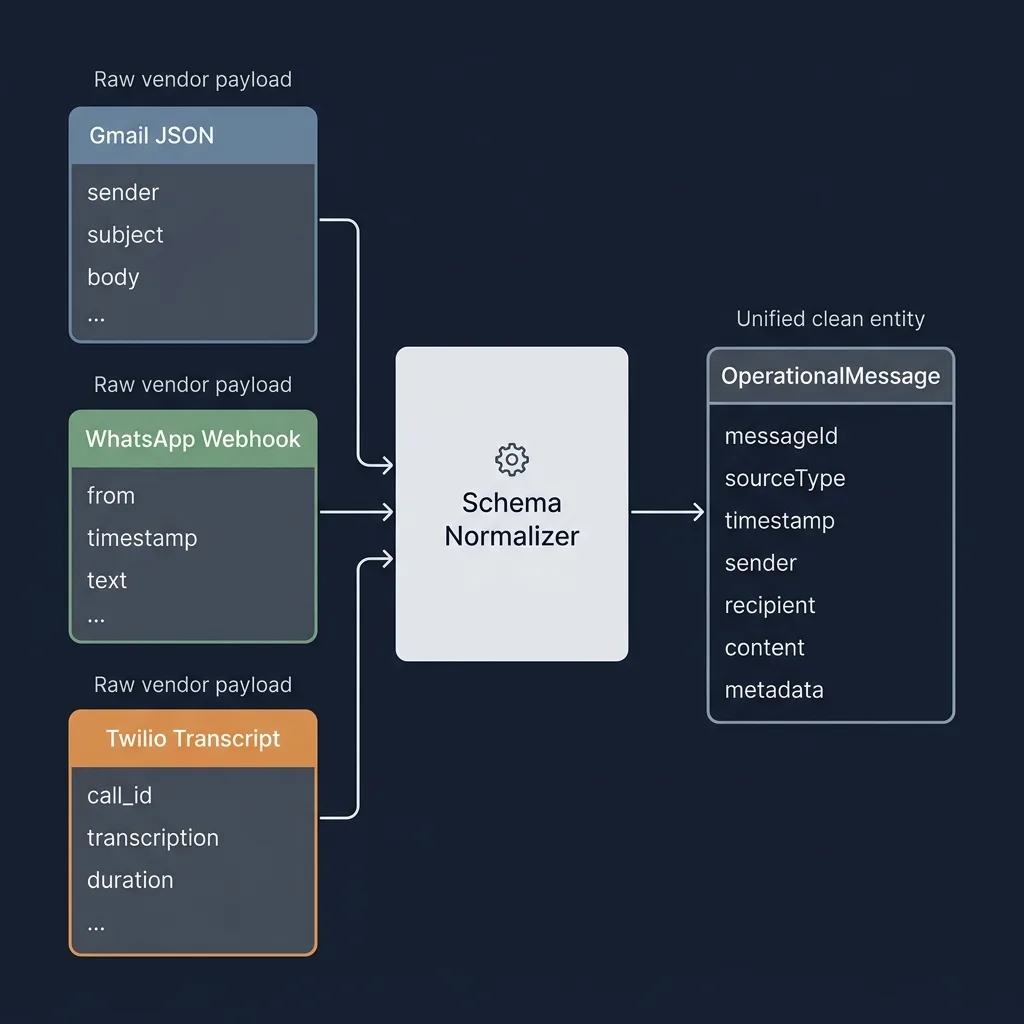
Vendors describe the same core concepts with completely different payloads. Normalize them into clean product entities: Contact, Message, and Thread.
The domain model must separate internal identities from vendor identities. It must also retain enough source data to trace every record back to the event that produced it:
type SourceProvider =
  | "gmail" | "outlook" | "whatsapp"
  | "slack" | "twilio" | "google_calendar";
type SourceIdentity = {
  provider: SourceProvider;
  sourceAccountId: string;
  externalId: string;
};

interface Contact {
  id: string;
  tenantId: string;
  displayName: string;
  emails: string[];
  phoneNumbers: string[];
  identities: SourceIdentity[];
}

interface Message {
  id: string;
  tenantId: string;
  threadId: string;
  senderContactId: string;
  source: SourceIdentity;
  body: string;
  occurredAt: string;
  ingestedAt: string;
}
Contact.id and Message.id are internal identifiers. SourceIdentity preserves the upstream account and record identifiers used for deduplication and lineage. Adding a vendor requires a new adapter and a new SourceProvider value, but it does not change the agent's contact or message tools.
The array above shows the relationship in code, not how the database stores it. Store each vendor identity separately and use a unique index to prevent duplicates. This also keeps identities from different vendor accounts separate.
Never leak vendor schemas to the agent: Tool definitions should expose clean domain entities like contacts and messages, never Gmail thread IDs, WhatsApp payload structures, or vendor quirks.
Resolve identity through the ingestion pipeline
After the raw event is safely stored, the ingestion pipeline should determine whether Janet from Gmail and Janet from WhatsApp are the same contact. This can happen asynchronously so uncertain matching does not block ingestion. Start with verified email addresses, source identifiers, phone numbers, and account context. Store the evidence, matching method, and confidence behind every link.
When the evidence is strong, link both vendor records to the same internal Contact.id. Keep the source identity rows separate so the merge remains reversible. When the evidence is ambiguous, preserve separate contacts and route the proposed match to a classifier or human review.
Resolve identity once: Every consumer should use the same canonical projection instead of deciding identity independently.
Model each entity's lifecycle
Not all records behave the same way. Emails are permanent events, while contacts and deal stages change constantly:
| Record type | Behavior | Strategy |
|---|---|---|
| Email or call log | Append only | Store once, never overwrite in place |
| Note or contact | Mutable | Keep current version and save edit history |
| Deal stage | State machine | Log every transition and project current stage |
If an email is deleted by a vendor, soft delete it with a tombstone rather than silently wiping it. If a contact is updated, reject stale timestamps. This guarantees the agent knows both what is true right now and what happened in the past.
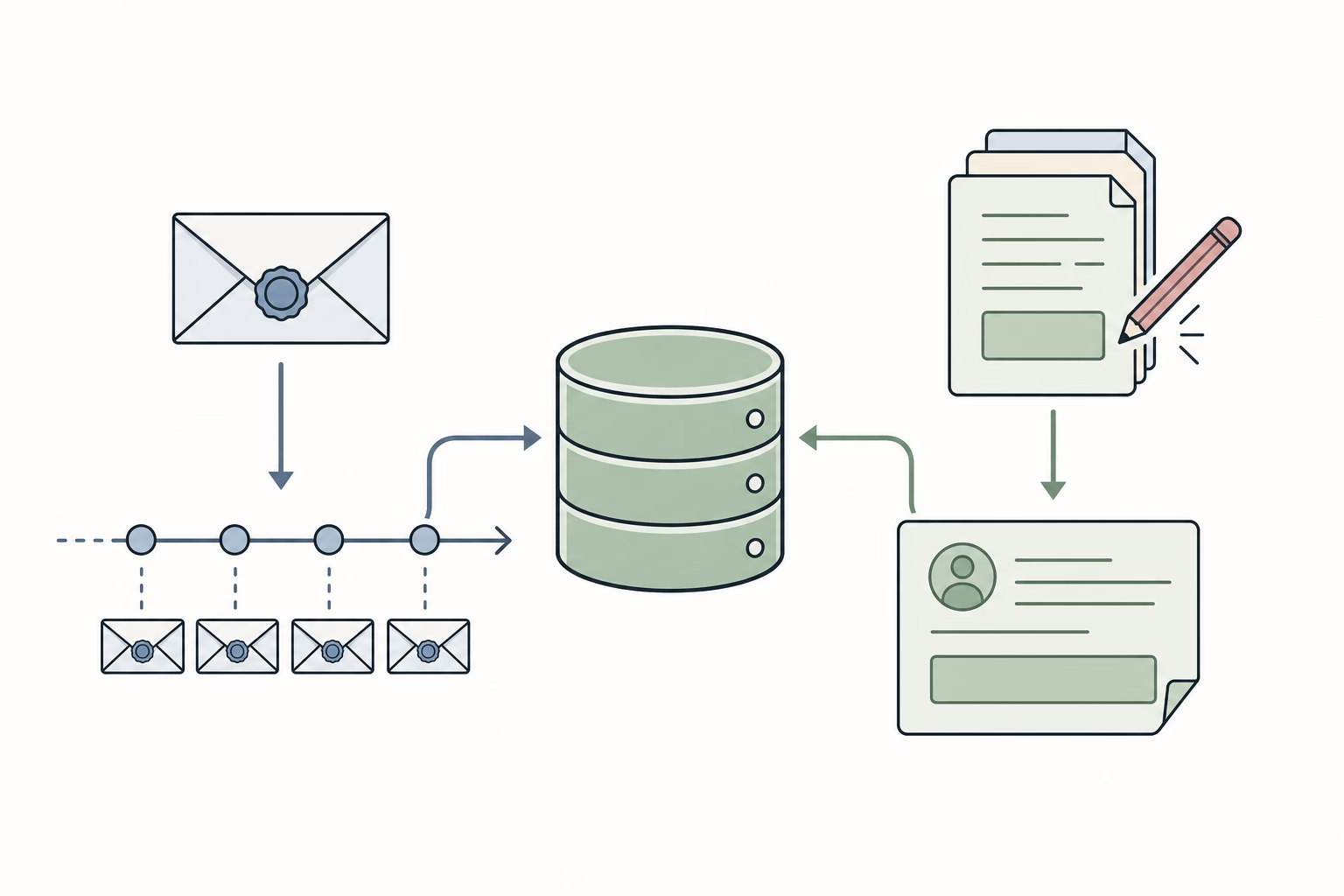
Keep the current state and its history: Use the current record for questions about what is true now. Use its history for questions about what changed. Include the source and last update time in every result.
Keep access control and retention in the data contract
Copying vendor data into your system means you also inherit its security and privacy obligations. Every database row, search document, and cache key must enforce strict tenant boundaries.
Two rules keep your agent context secure:
- Authorize before retrieval: Filter data at the database level using tenant IDs and user permissions. Never load private records into the prompt and rely on the LLM to keep them secret.
- Propagate deletions everywhere: When a user deletes an email or requests data removal, purge the content across your database, search indexes, and cache. Keep a tombstone marker so the system knows a record was removed without retaining sensitive data.
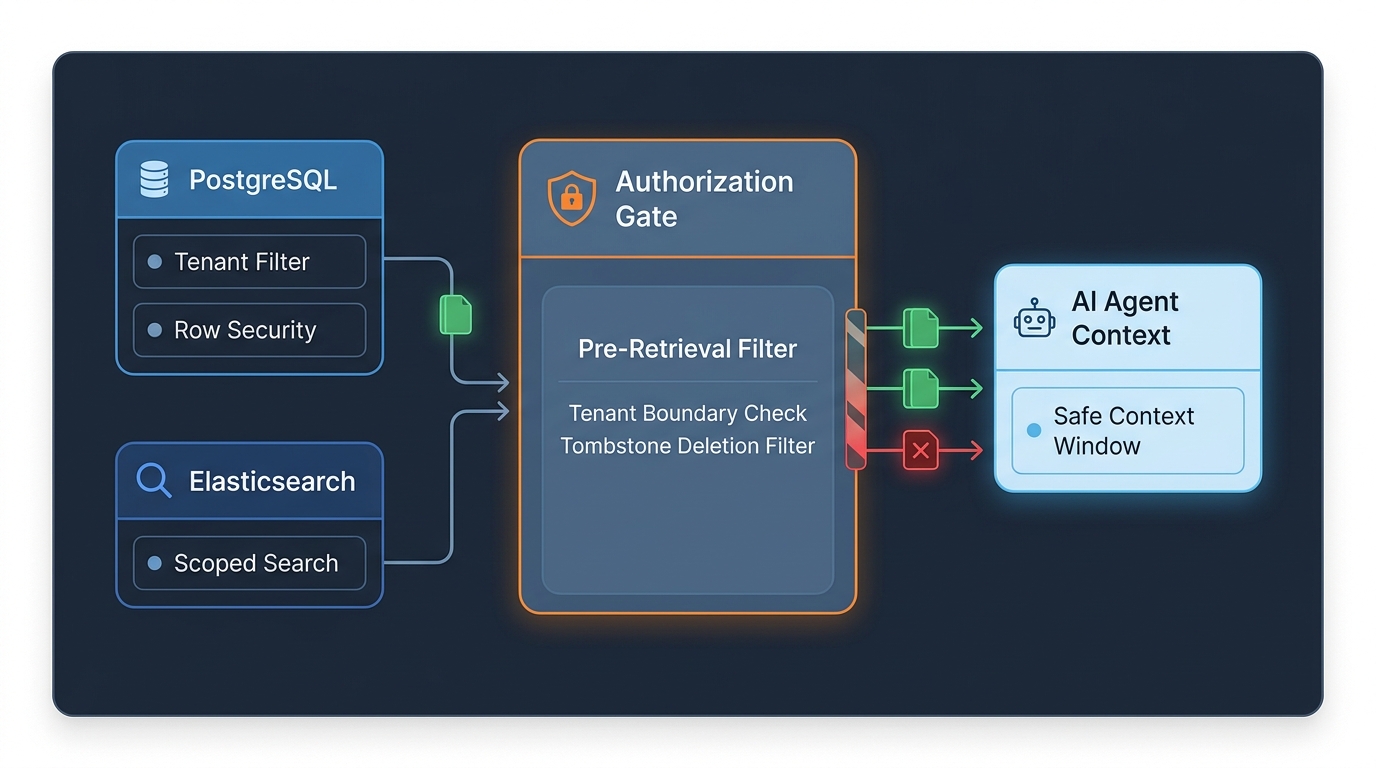
Authorization travels with the data: A unified store must preserve tenant scope, permissions, retention rules, and deletion state in every single query.
Access patterns define your tools
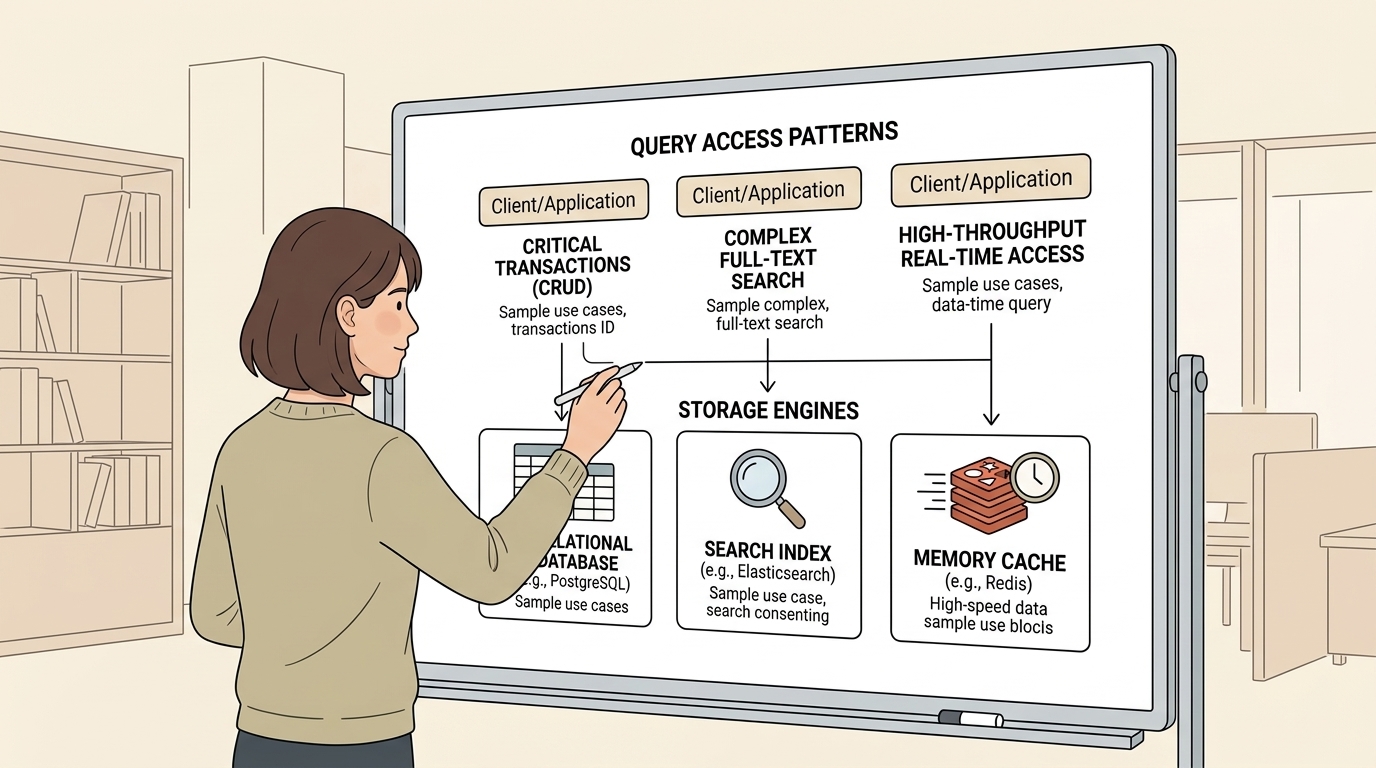
Your access patterns dictate your storage tools, never the other way around.
People write entire books on database selection, but here is the practical cookbook that solves 95 percent of AI agent workloads:
- PostgreSQL for entities and timelines: Exact contact lookups, foreign key relationships, and chronological message sorting.
- Elasticsearch for text search: Fuzzy matching, typos, and keyword relevance ranking across millions of conversations.
- Redis for hot caching: Storing repeated profile lookups during multi-turn conversations to kill latency.
The Access Pattern Rule: Never pick a database because it is trendy. Define your access patterns first, and let the questions select the tool.
Start small without closing future options
At this point, you might be thinking: "This sounds like an overwhelming amount of tools and infrastructure just to write a simple agent. Kafka queues, identity matching, tombstones, compound indexes... how do I even start without getting buried in complexity?"
The good news: you do not need to build all of this on day one. You do not need Kafka, Elasticsearch, or Redis to ship your first version. In fact, starting with all of them is an easy way to stall your project.
Start with the smallest complete system that works: a simple webhook receiver and a single PostgreSQL database. Add infrastructure only when you hit a measured performance limit.
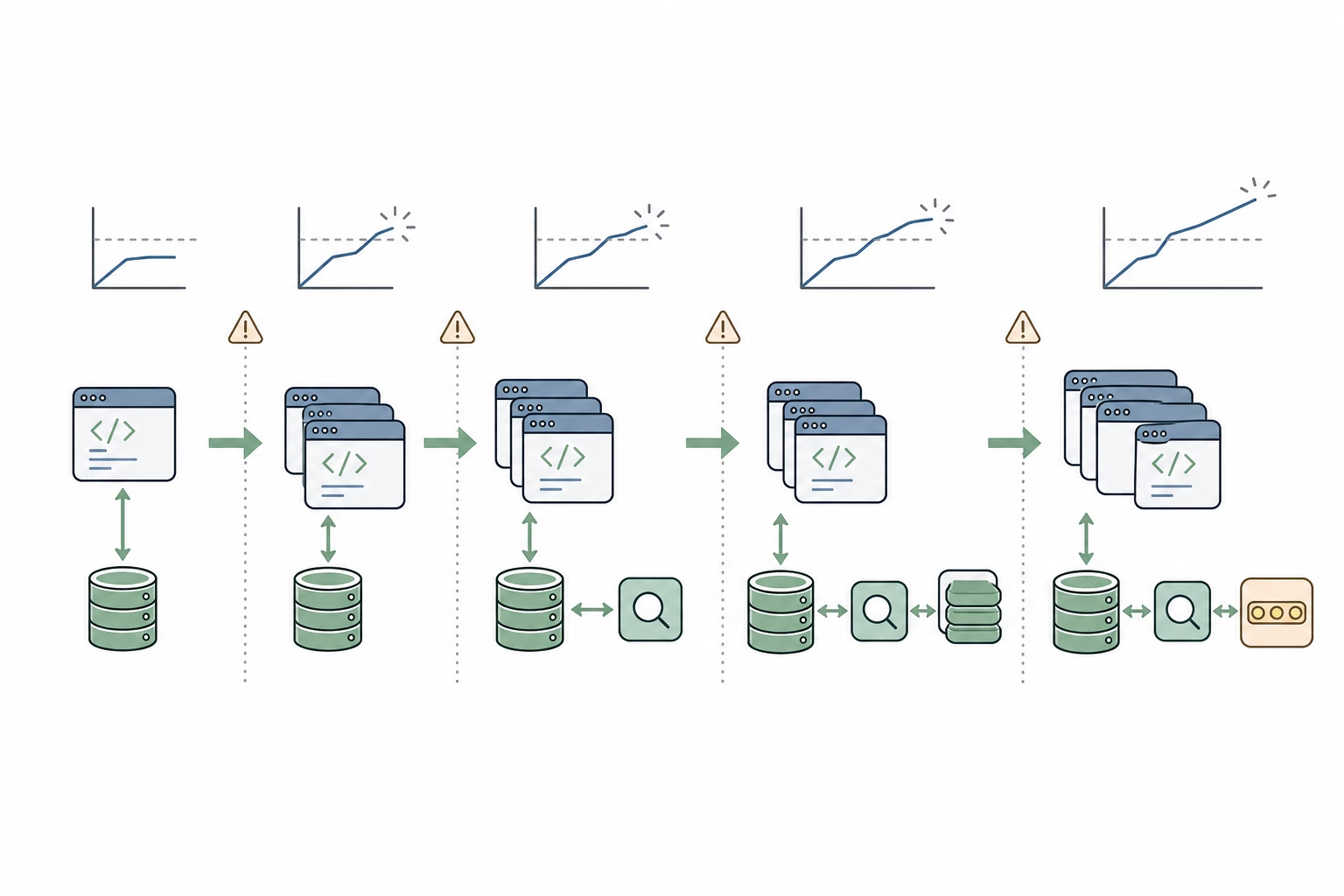
Start with PostgreSQL built-in full text search. Only add a dedicated search engine like Elasticsearch when you outgrow your database and need fuzzy matching or heavy search scaling.
Add Redis only for measured hot paths, and keep authorization checks on an authoritative source.
Keep expensive decisions reversible. You can add an index, cache, or search engine later. You cannot recover discarded payloads, lost source identities, or overwritten history. Start with the smallest architecture that serves every defined access pattern, then extend the component that reaches a measured limit.
Expose narrow tools to the agent
The agent should not know which vendor, database, or index serves a request. Give it a small set of domain tools:
findContact: Resolve an email, phone number, or source identity to a canonical contact.listContactMessages: Return a chronological page of messages for one contact.searchMessages: Search message text within a tenant, contact, account, or time range.
Each tool response should include a continuation cursor, source freshness, and source identifiers. These fields tell the agent whether more records exist, whether the data is current, and where each result came from.
Layer 1 mistakes that produce bad agent context
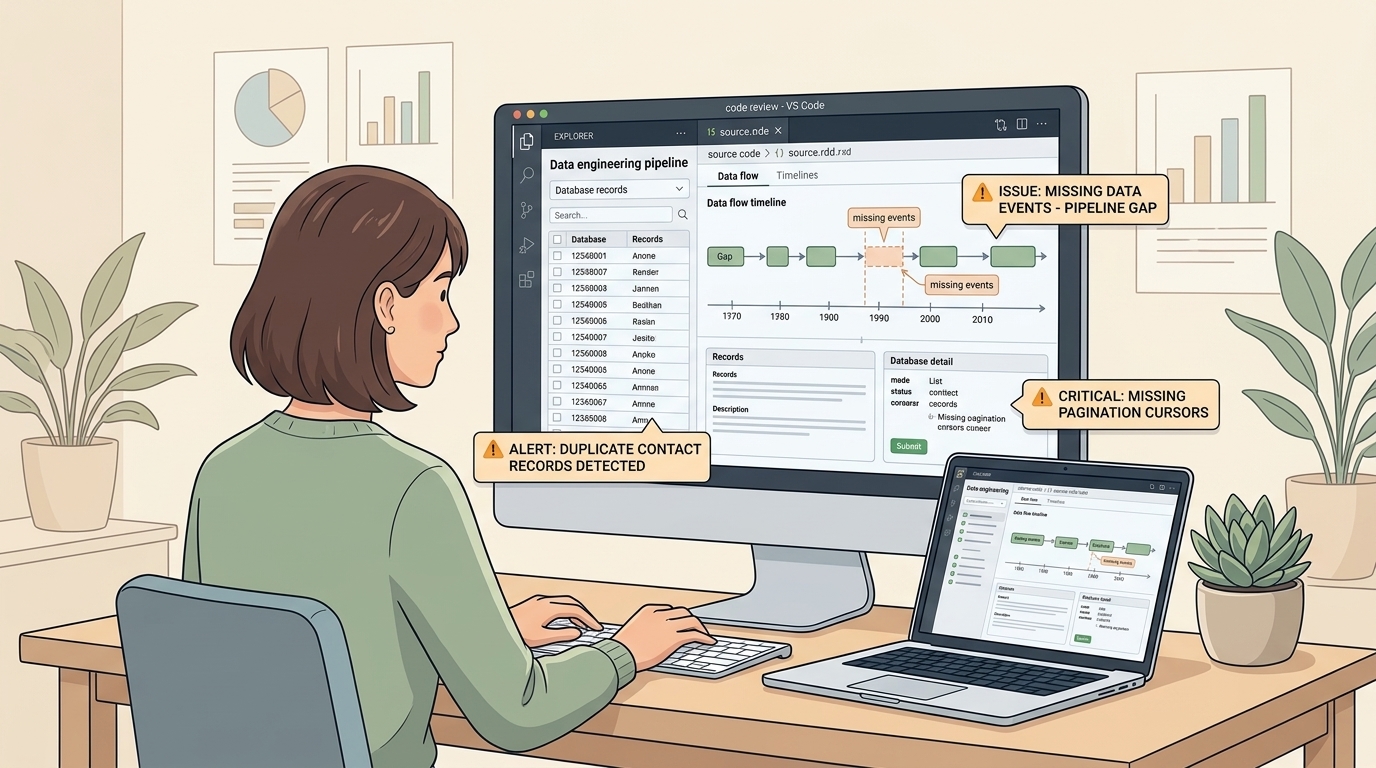
Bad agent context often starts with these five mistakes:
1. Vendor data leaks into your database
If your database columns are named after Gmail labels or Slack thread IDs, adding WhatsApp will break your entire product. Keep the raw JSON in a debug table, but translate vendor fields into your own clean models before anything else touches them.
2. Guessing who is who
Never merge contacts just because two people share the name "Janet". People share display names, switch phone numbers, and change emails. Only merge on verified IDs, and if you are not certain, keep them separate.
3. Chopping off message history
If you cap queries at 20 messages without pagination, the agent misses older context and invents answers because it thinks the rest of the conversation never happened. Every list query needs a cursor and an index.
4. Swallowing sync errors
When an ingestion webhook silently fails, the agent tells the user "Janet never replied", when in reality the email sync crashed an hour ago. Store failed events with their error details, and track sync freshness so the agent knows when data is missing.
5. Overengineering day one
Do not spin up Kafka, Elasticsearch, and Redis before you have actual traffic. PostgreSQL can handle your entities, timelines, and basic search just fine. Add specialized systems only after real bottlenecks prove you need them.
Returning to Janet's renewal
Now return to Janet's example from the start. A user asks the AI Agent: "Get all communications with janet@example.com discussing the renewal proposal." How does Layer 1 solve it?
Layer 1 handles the request in three bounded operations:
findContactresolvesjanet@example.comto a canonical contact ID.searchMessagessearches for "renewal proposal" within that contact's records.- The tool returns one page with lineage, freshness, and a continuation cursor.
{
  "items": [
    {
      "provider": "whatsapp",
      "sourceId": "wa_7391",
      "content": "Can you check the revised payment schedule in the renewal proposal?",
      "occurredAt": "2026-08-01T14:20:00Z"
    },
    {
      "provider": "gmail",
      "sourceId": "gm_4820",
      "content": "Attached is the signed renewal addendum.",
      "occurredAt": "2026-08-01T11:05:00Z"
    }
  ],
  "nextCursor": null,
  "lastIngestedAt": "2026-08-01T14:21:03Z"
}
The agent receives records from two vendors through one tool contract. It does not call Gmail or WhatsApp, translate vendor schemas, or guess whether both records belong to the same person.
The Layer 1 operating model
Layer 1 is not a collection of vendor integrations. It is the operational data contract shared by the product and the agent.
The Layer 1 Rule: Ingest vendor data before the conversation, resolve identities once, preserve source lineage, and serve every agent question through a bounded indexed tool.
Continue to Part 5: Governing Analytical Context to see how versioned metrics give the AI Agent quantitative evidence without hiding uncertainty or business policy.
Context Layer
Subscribe to New Post Updates
Get notified directly in your inbox whenever a new music analysis or AI write-up is published.
More AI Projects & Insights

How I Work With AI in Software Development
AI coding is not about delegating software engineering to a prompt. It is about shifting focus from typing syntax to heavy specification, code reading, compounding skill layers, and rapid feedback loops.
Context Layer #1: Why Your Agent Fails
At their core, AI agents are just LLM loops wrapped in context and tools. Discover why the context layer is the true bottleneck of agent performance, and why context quality matters more than unconstrained planning.

Context Layer #2: Evals, Evals, Evals
Before writing custom data pipelines or context abstractions, you must answer one core question: How do you measure what is effective? Discover the 4 tiers of agent evaluation and benchmark-driven context engineering.